Epic Fantasy Illustration Process
Summary
Epic Fantasy Illustration
This walkthrough covers the complete creation of a large, multi-character fantasy battle scene from initial idea through to finished rendering. The illustration features multiple characters at different scales, architectural elements, magical effects, and layered depth, all designed to push the boundaries of complexity within a line and color process.
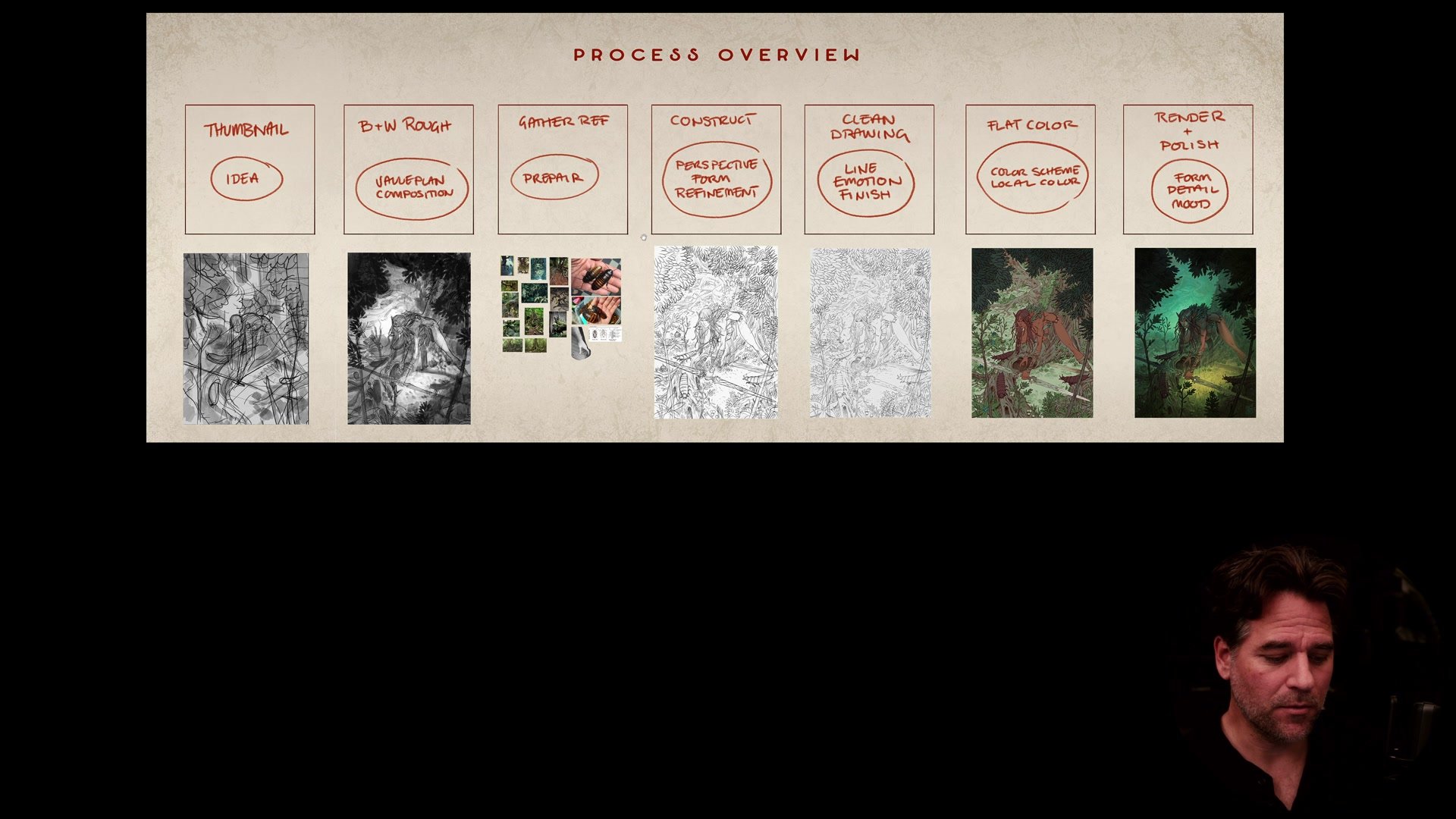
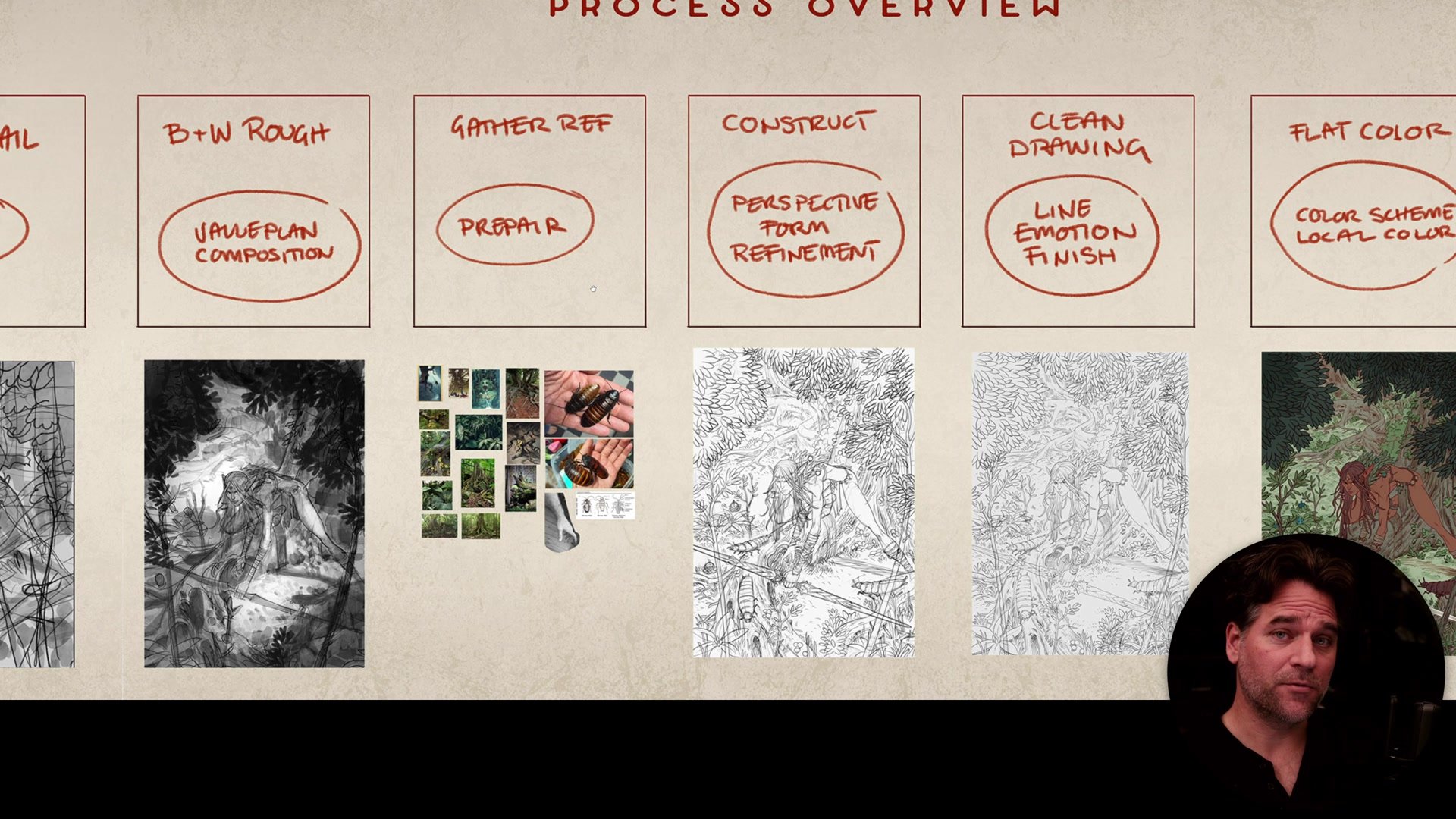
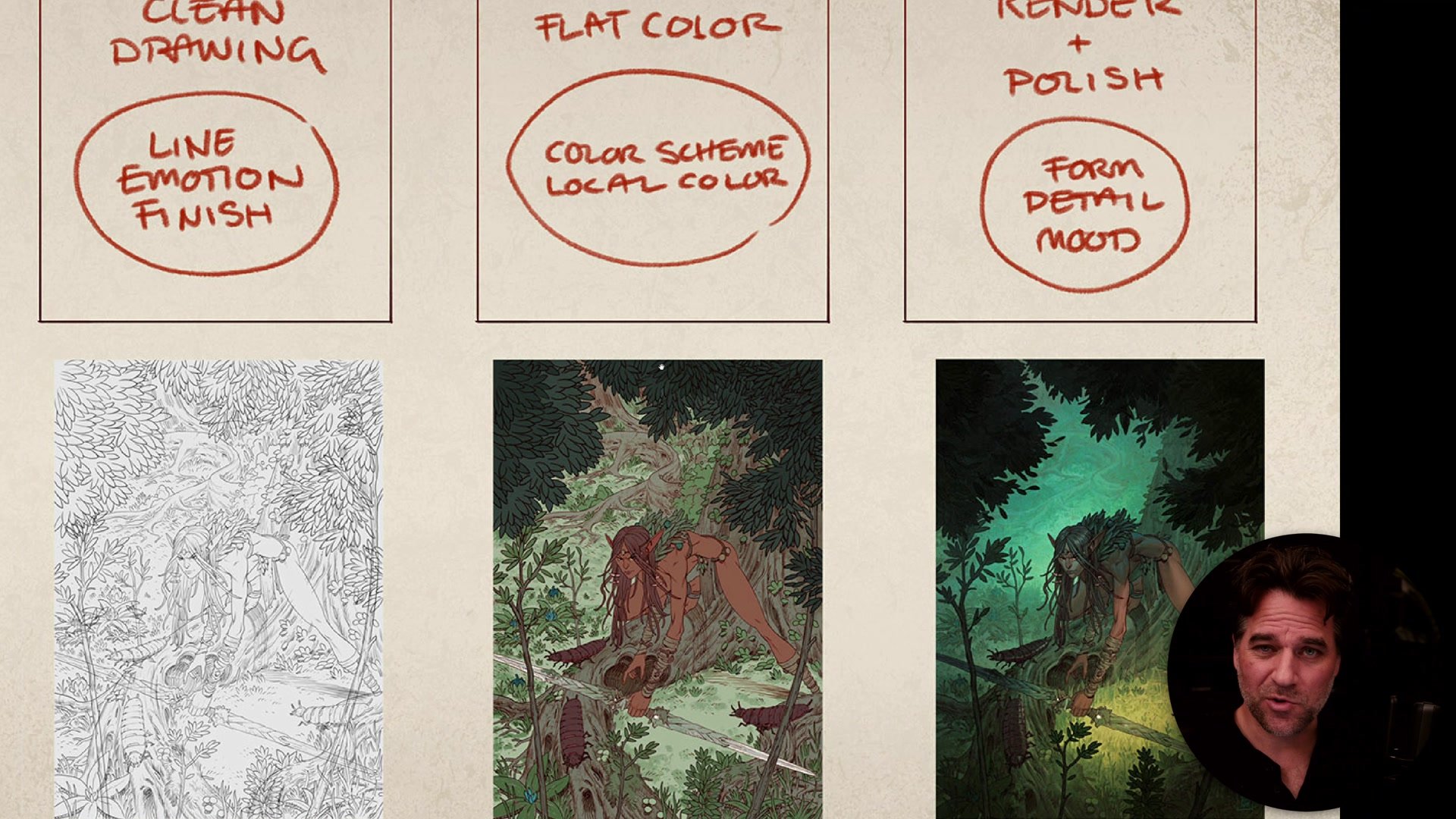
The process follows seven distinct steps that apply to any illustration, regardless of complexity: idea and brief, value thumbnail, reference gathering, construction drawing, clean line work, flat color, and atmospheric rendering. Each step builds on the previous one, and skipping any of them makes the later stages significantly harder.
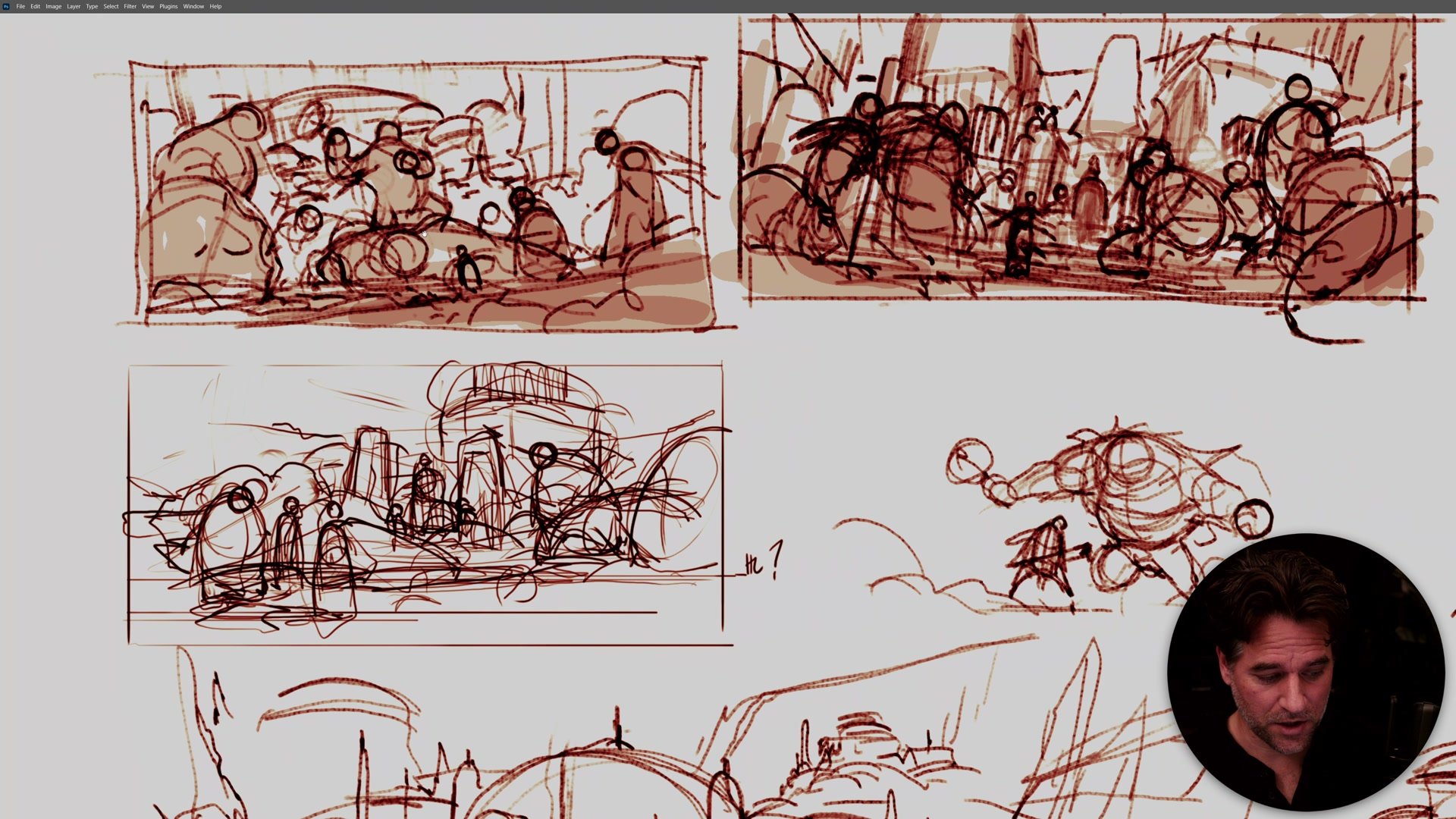
Ideation and Composition
The process begins with defining a clear brief and purpose for the image. This illustration was specifically designed as a demo for the Line and Color Intensive, intentionally packed with challenges: multiple characters at different sizes, architecture, magical effects, and overlapping depth planes. Having that clear purpose shaped every decision that followed.
Thumbnailing focused on finding a single strong idea rather than generating dozens of options. The key question throughout was focal hierarchy: what is the number one read, the secondary read, and the tertiary read? The primary focus landed on the main character in combat. The secondary read became the creatures on a raised ledge above, adding story and culture to the scene. Everything else (background characters, architecture, the magical stream) became tertiary elements that fill the world without stealing focus.
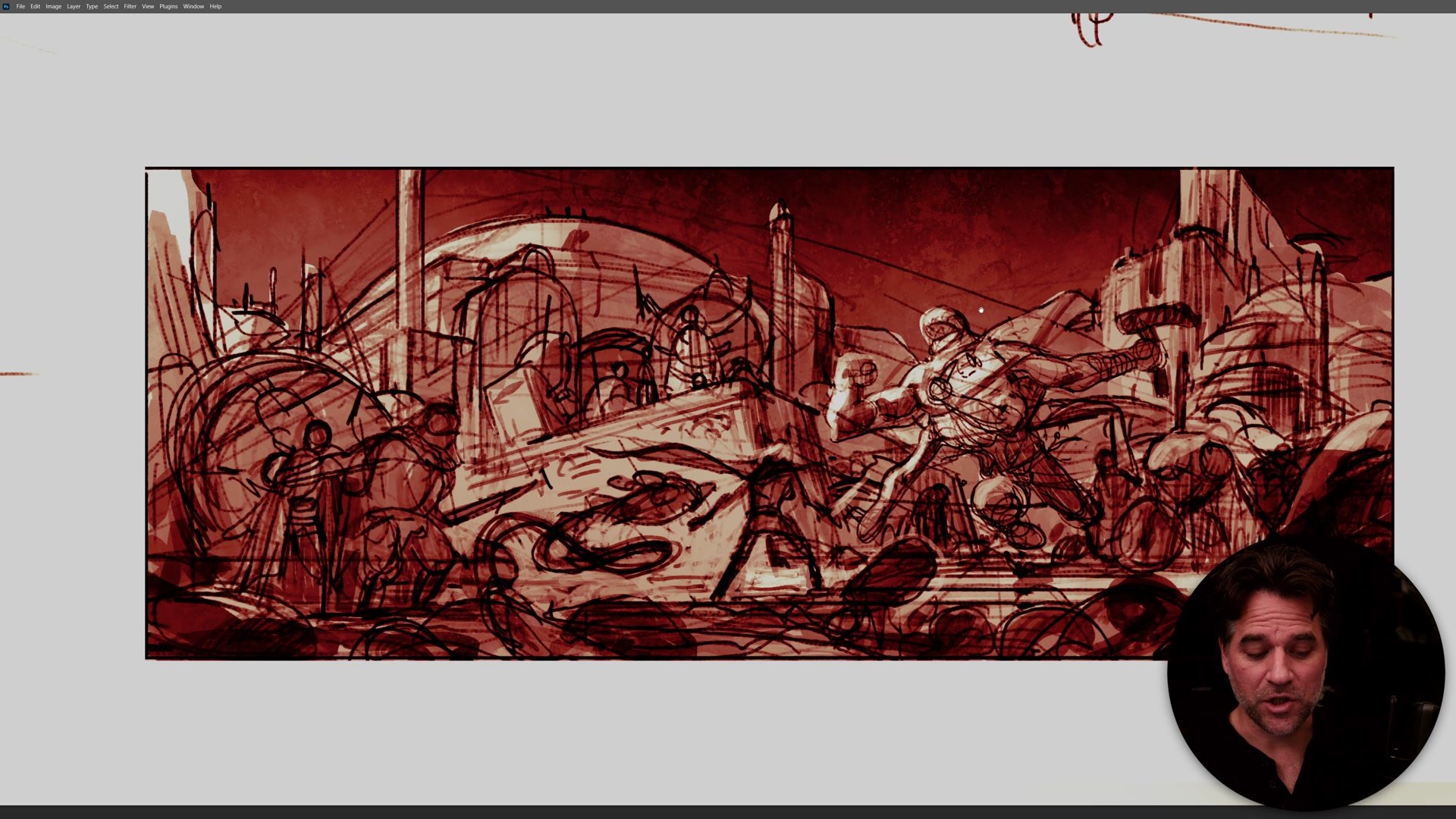
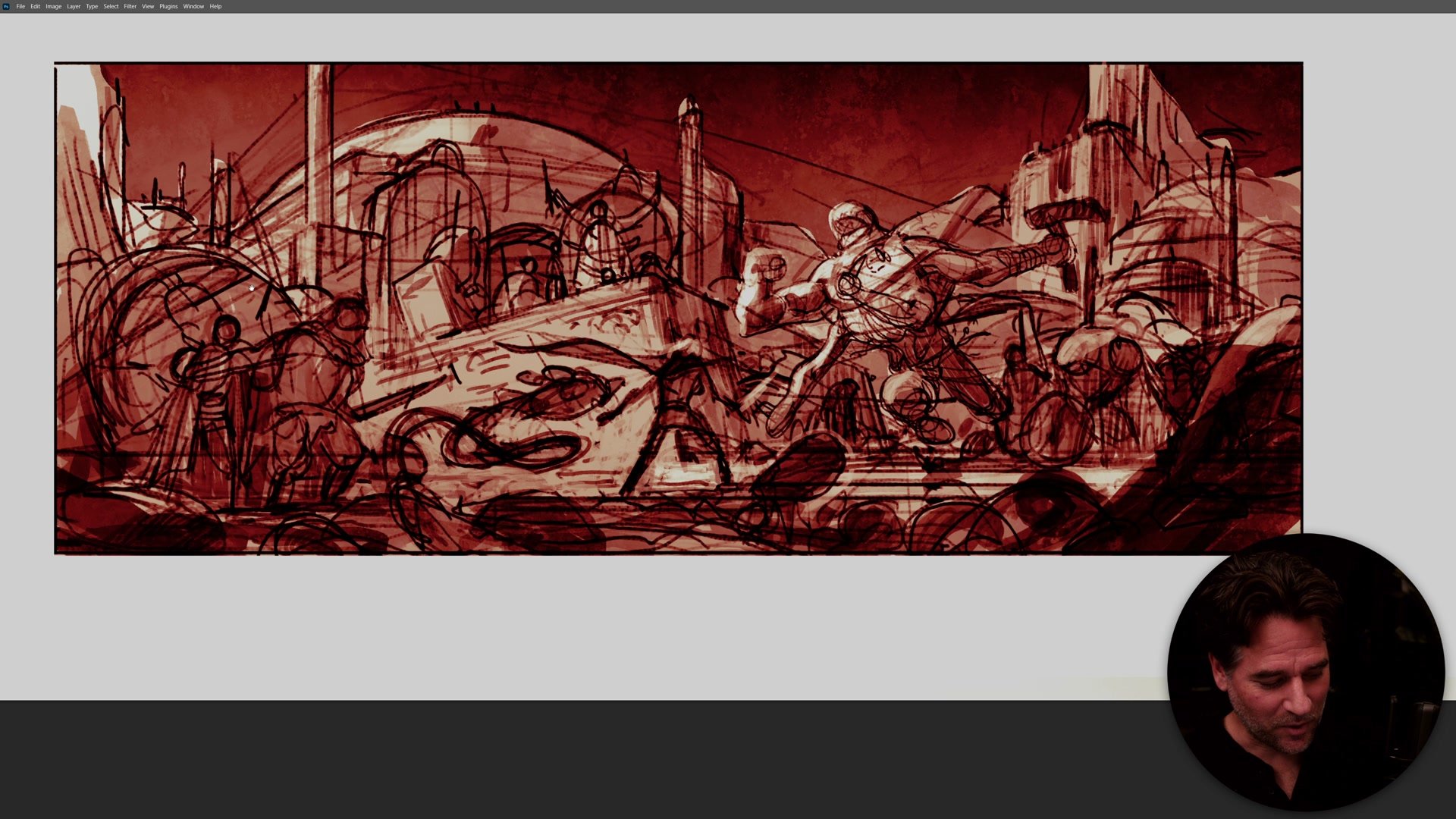
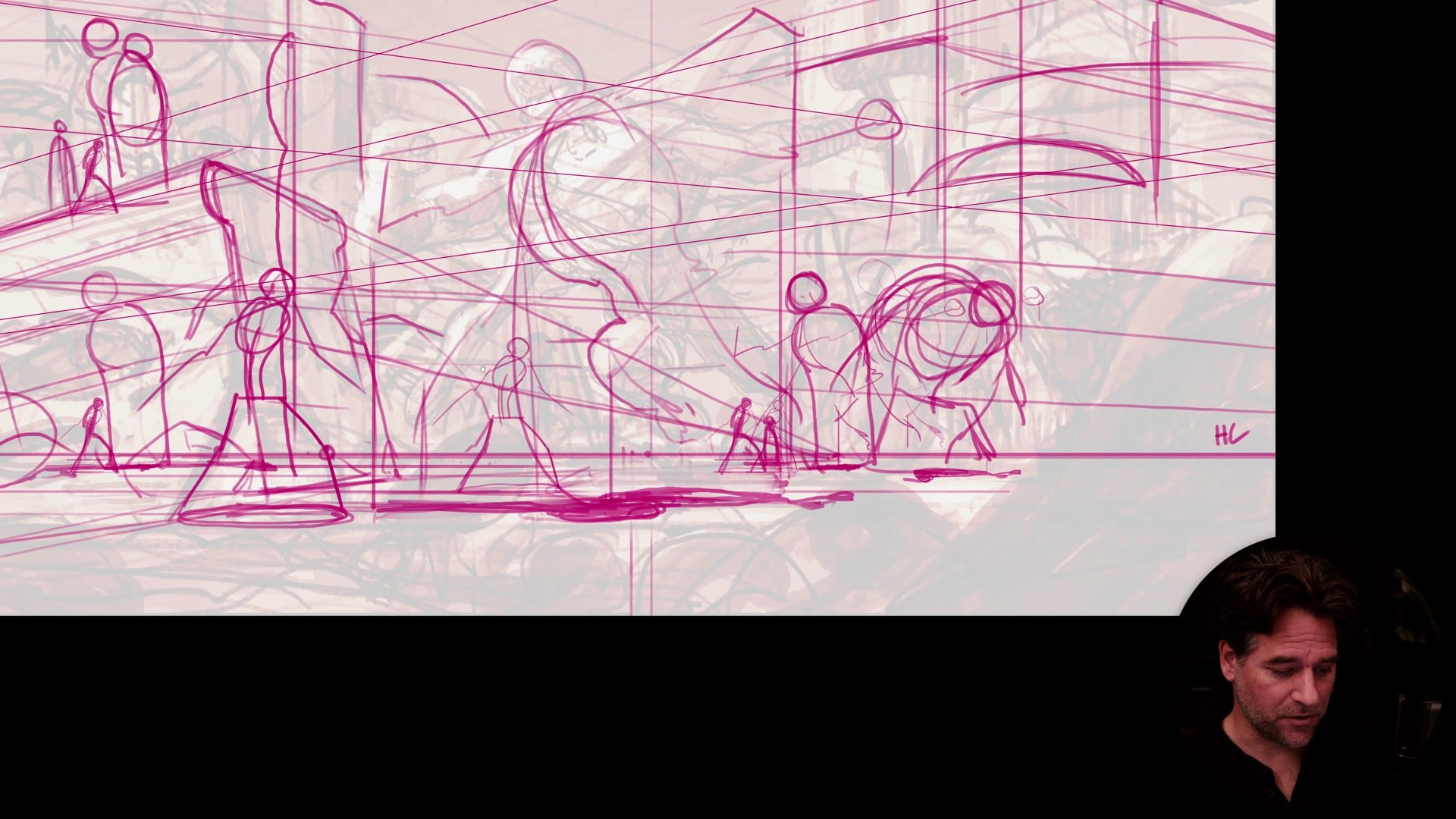
Perspective and Construction
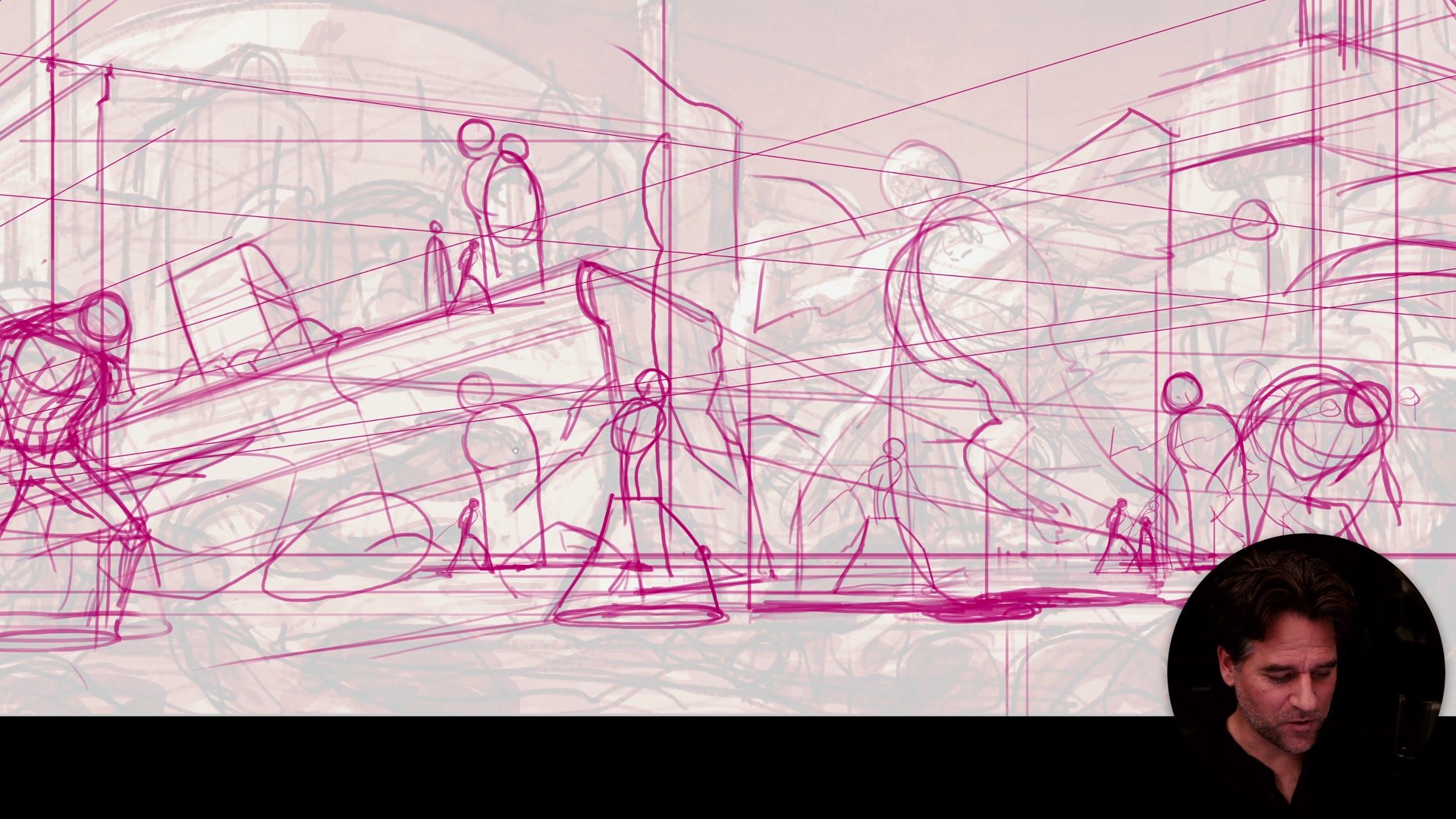
Before any construction drawing begins, the perspective needs to be locked in. The horizon line sits low in this image, meaning the viewer looks up at everything. Once established, the horizon line becomes the tool for accurately scaling every character. Where the horizon cuts a figure's anatomy determines their size relative to every other figure in the scene. Getting this wrong means every character relationship fails, and fixing it later is nearly impossible.
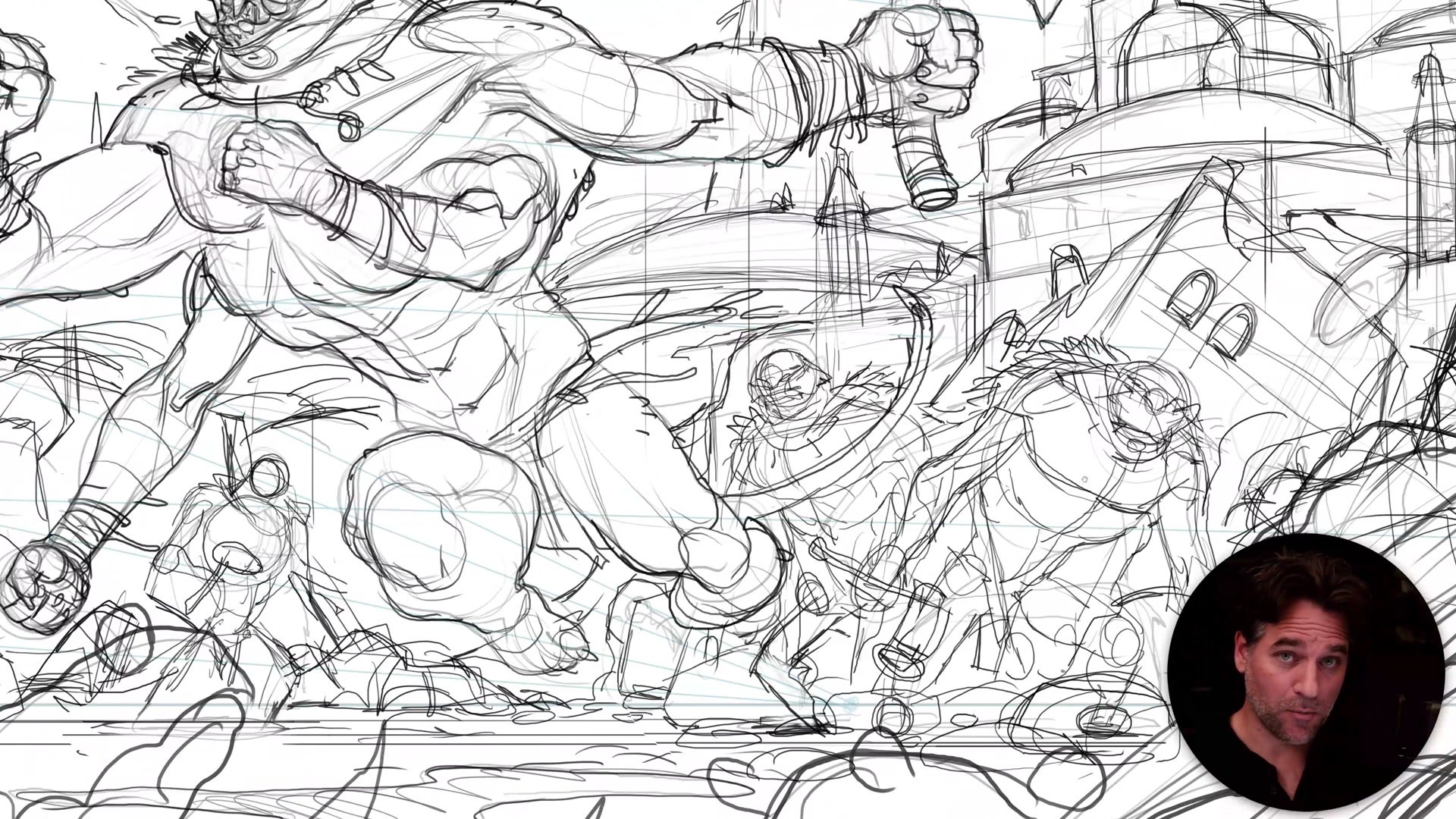
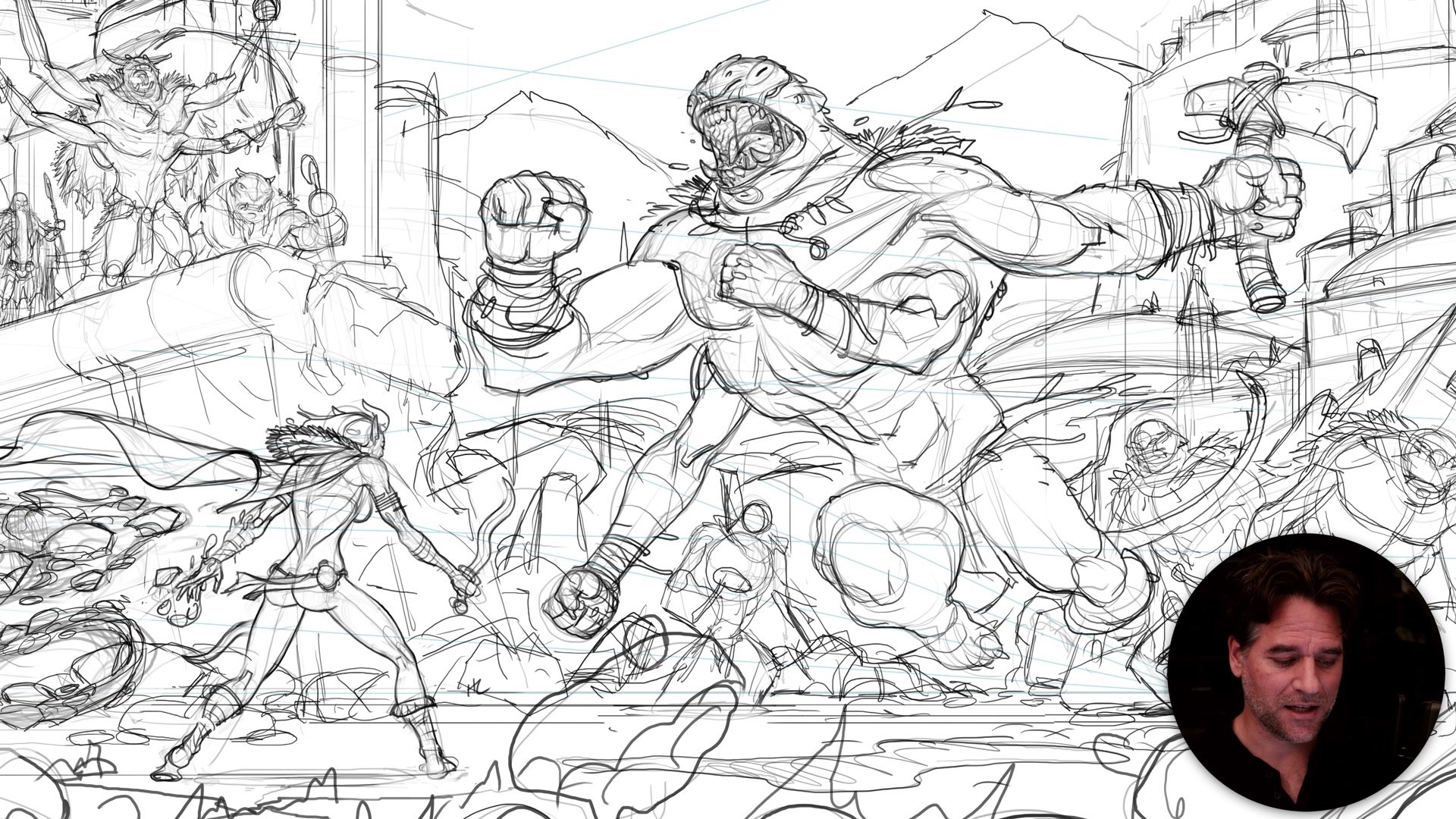
Construction is the step most artists skip, and the step that makes everything else possible. If the construction doesn't contain enough detail to confidently create a finished line drawing, more passes are needed. Hands can't be banana shapes. Characters can't be approximate blobs. The construction phase is where anatomy gets resolved, perspective gets verified, and every element earns its place.
Lines, Color, and Atmosphere
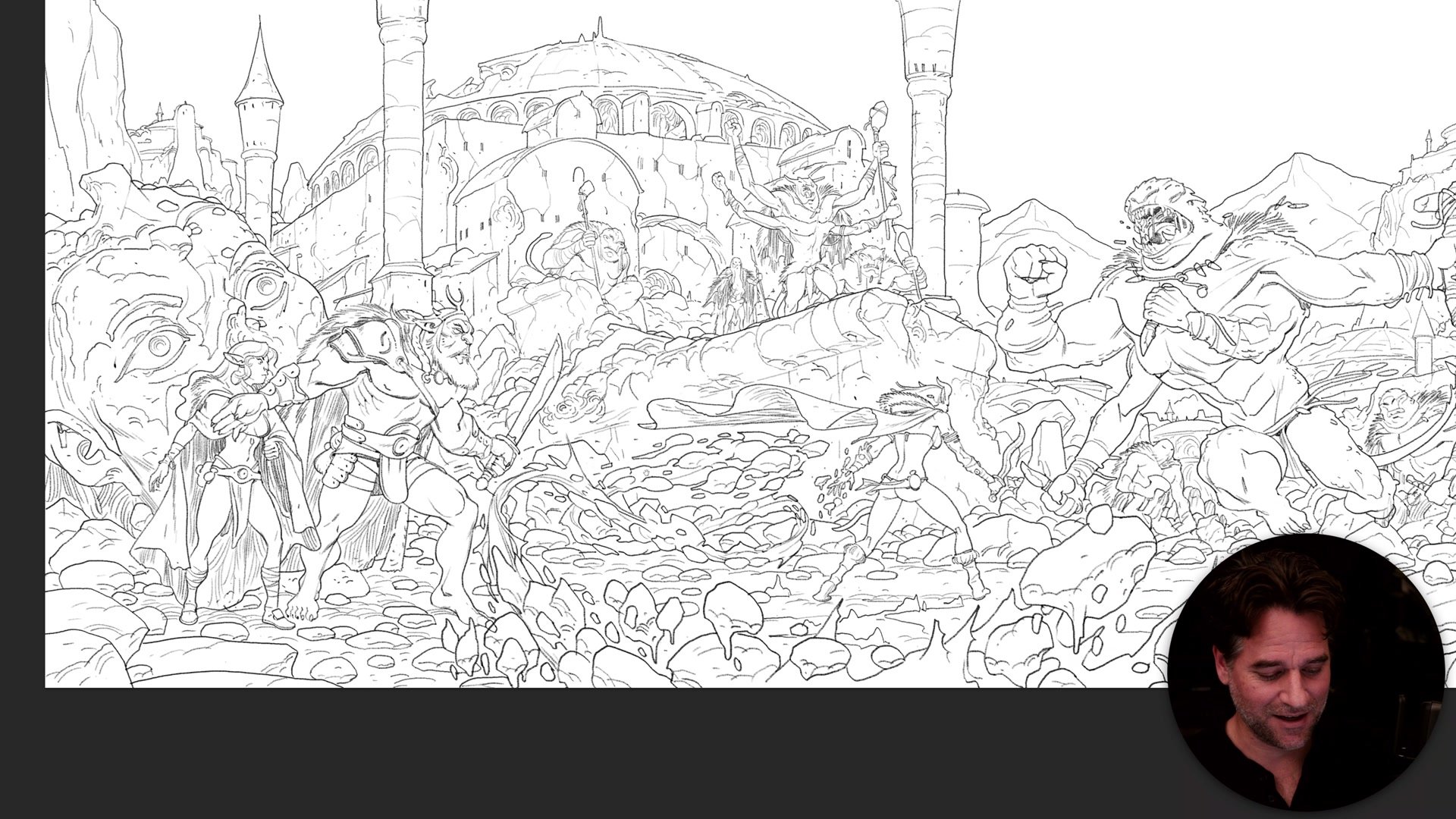
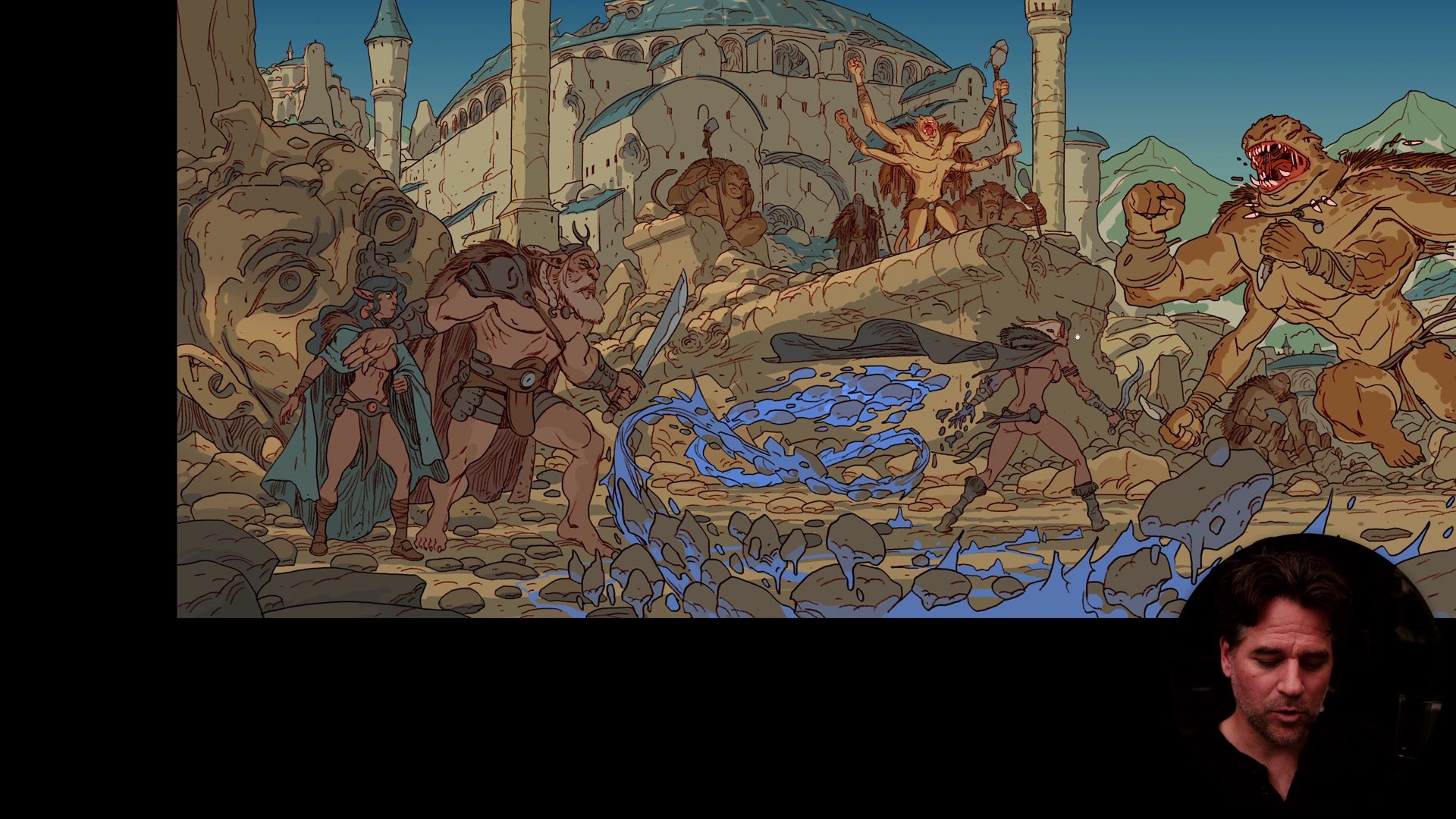
The clean line phase produced roughly 20 separate layers, one for each element and depth plane. This level of organization makes the flat color and atmospheric rendering stages dramatically easier, because every element can be colored, adjusted, and pushed independently. The line work itself looks chaotic at this stage (a "crazy coloring book" of overlapping detail), but that chaos resolves as soon as color enters.
The flat color plan used simple, Saturday morning cartoon style shading with no cell shading or shadow passes on the characters. The real transformation happened through atmospheric rendering: large airbrush gradients pushing back distant elements, selective blur for depth of field, and color grading to separate focal areas. Warm colors and high contrast draw the eye to the primary character. Cooler, lower-contrast tones push secondary and tertiary elements into the background.
Key Techniques
Focal Hierarchy First: Establish the primary, secondary, and tertiary reads at the thumbnail stage. Every subsequent decision serves that hierarchy, from construction detail to atmospheric rendering.
Horizon Line for Scale: The horizon line determines how every figure scales relative to every other figure. Lock it in before construction begins, or every character relationship will be wrong.
Construction Is the Secret: If the construction doesn't contain enough detail to confidently finish the line drawing, do another pass. Skipping this phase is the single biggest reason complex illustrations fall apart.
Layer Everything: Separate elements onto individual line and color layers. Twenty layers sounds excessive, but it makes flat color, atmosphere, and focus adjustments simple rather than painful.
Atmosphere Over Rendering: Gradients, blur, and color grading can transform flat cartoon colors into a painted feel. Most of the "polish" in this image comes from atmospheric effects, not from rendering individual forms.